Airport Charts
An overview of what kind of Airport Charts Navigraph provides, and the related restrictions/limitations.
What are Airport Charts?
Navigraph offers Airport Charts, provided by Jeppesen, which describe how to fly to and from an airport. These are offered in the Navigraph Charts software together with additional functionality to sort and organize the charts, for instance in preparation for a flight.
The functions described above are available via the Charts API. This API is typically used by addon software running inside the flight simulator to display charts on the virtual flight deck as an Electronic Flight Bag (EFB).
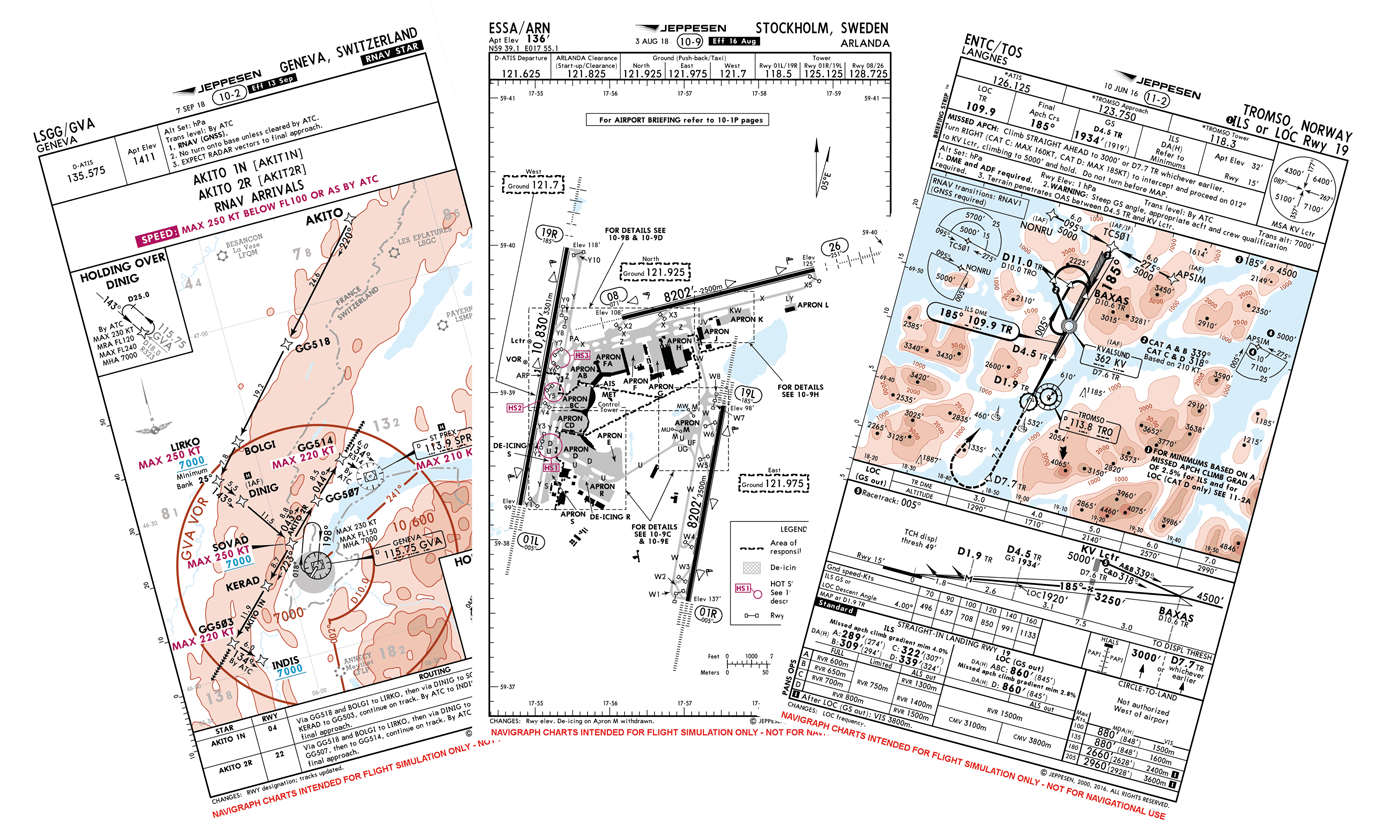
The Airport Charts include Standard Instrument Departure (SID), Standard Terminal Arrival Route (STAR), Approach Procedures (APP), Taxi Diagrams (TAXI), and Reference Documents (REF). They come in two contrast versions, for day and night, and in two modes, Standard Instrument Flight Rules (IFR) and Commercial Airline Overlay (CAO). The main difference between the two is that CAO is optimized for airliner (cat C/D aircraft) operations.
Restrictions/Limitations
The Navigraph Charts API provides access to Navigraph Charts in external client applications. Due to licensing conditions with our data providers, such applications are limited to those that are part of a virtual environment, such as an EFB displayed inside a virtual cockpit. To use the API, the end user signs in with his or her Navigraph account in the client application, and if the end user has a valid Navigraph Ultimate subscription, full access is granted. If the end user does not have a valid subscription, the end user may access two demo airports, NZWN and YBBN. Users who have not logged in to their Navigraph account may not access our services at all.
Charts must not be stored, cached or be accessible offline. We only support online usage of our content. Charts must be fetched from server when requested to be displayed by the end user.
Please note
Use of the Navigraph Charts API for displaying charts in standalone apps outside of a virtual environment/cockpit, e.g. in a physical tablet application or a desktop application, is not permitted.